
How to improve mobile signal strength is one of the most searched questions today as millions of users struggle with dropped calls, slow data speeds, and weak connectivity at home, work, and while traveling. Whether you’re dealing with a weak cell signal indoors, slow mobile internet, or frequent call drops, this detailed guide will show you exactly how to boost cell signal using both free and premium solutions that actually work.
Poor reception is no longer just an inconvenience, it affects productivity, safety, remote work, online learning, and even emergency communication. The good news is that in most cases, weak signal problems can be fixed or significantly improved using the right combination of positioning, device optimization, network adjustments, and professional signal boosting equipment.
This guide covers everything from quick free fixes to professional-grade signal boosters, all explained in simple terms.
Why Mobile Signal Becomes Weak (Understand the Root Cause First)
Before learning how to improve mobile signal strength, it’s important to understand why your signal is weak in the first place. The most common causes include:
- Distance from cell towers
- Thick walls and building materials
- Metal roofs and reinforced concrete
- Rural or remote locations
- Network congestion
- Outdated phone or SIM card
- Incorrect network settings
- Environmental obstructions like hills and trees
Weak indoor cell reception usually occurs because buildings block the outdoor signal before it ever reaches your phone.
How to Improve Mobile Signal Strength for Free (No Equipment Needed)
These methods cost nothing and often provide immediate improvement.
1. Change Your Location Strategically
Your physical location plays a massive role in your signal quality.
Try these:
- Move closer to windows
- Go to upper floors
- Step outside briefly to regain signal
- Avoid basements and interior rooms
Even moving just a few feet can significantly boost cell signal.
2. Toggle Airplane Mode
This forces your phone to reconnect to the strongest available tower.
Steps:
- Turn airplane mode ON for 10 seconds
- Turn it OFF
- Let your phone re-register to the network
This is one of the fastest ways to fix sudden weak cell signal issues.
3. Restart Your Phone Regularly
Phones can get stuck on a weak tower without refreshing their network connection. Restarting clears background issues and forces the device to reconnect.
4. Switch Between 4G and 5G
Sometimes your phone aggressively tries to stay connected to weak 5G when strong 4G LTE is available.
Go to:
Settings → Mobile Network → Preferred Network → Select LTE/4G only
This often improves indoor cell reception instantly.
5. Update Phone Software & Carrier Settings
Outdated firmware can create network bugs and signal problems.
- Update your phone OS
- Update carrier settings when prompted
- Restart after updates
Manufacturers frequently release signal optimization improvements.
6. Enable Wi-Fi Calling
Wi-Fi calling allows your phone to route calls and texts through your internet connection when mobile signal is weak.
This is one of the best solutions for how to get better mobile reception indoors without any hardware.
7. Avoid Blocking the Antenna
Holding your phone incorrectly can reduce signal strength.
- Avoid covering the lower phone edges
- Remove thick metal phone cases
- Don’t press your hand over antenna zones
Some rugged cases weaken reception significantly.
8. Reinsert or Replace Your SIM Card
A damaged or outdated SIM can cause:
- Fluctuating signal
- No service errors
- Weak mobile reception
Visit your carrier and request a free SIM replacement.
9. Reset Network Settings
This clears corrupted network profiles.
Warning: This erases saved Wi-Fi passwords.
Settings → Reset → Network Settings → Confirm
This frequently resolves weak cell signal problems.
10. Keep Your Phone Fully Charged
Low battery can force the phone into power-saving mode, reducing signal performance and antenna reception.
How to Improve Mobile Signal Strength at Home (Indoor Focus)
Most people experience weak signal problems indoors. Walls, metal roofing, and insulation reflect mobile signals, preventing strong indoor cell reception.
11. Use Wi-Fi Calling as a Long-Term Indoor Solution
If you have stable internet, Wi-Fi calling essentially eliminates indoor coverage issues for calls and texts.
However, it does not improve mobile data for apps that require cellular networks.
12. Move Your Router & Phone Strategically
If you rely on Wi-Fi calling:
- Place your router near windows
- Avoid placing routers near metal objects
- Keep your phone within strong Wi-Fi zones
13. Improve Indoor Environment
Thick materials weaken signals:
- Concrete walls
- Steel doors
- Energy-efficient glass
- Metal roofing
Open windows, remove metal obstacles, and reduce interference where possible.
Premium Ways to Improve Mobile Signal Strength (Guaranteed Results)
When free methods aren’t enough, equipment-based solutions offer permanent, powerful improvements.
14. Install a Cell Phone Signal Booster (Best Overall Solution)
A cell signal booster is the most effective way to boost cell signal for homes, offices, vehicles, and rural areas.
How a Signal Booster Works:
- Outside antenna captures weak signal from cell tower
- Booster amplifies the signal
- Inside antenna broadcasts strong signal indoors
Benefits:
- Strong indoor cell reception
- Faster mobile data
- Clear calls
- Longer battery life
- Works for all apps
Signal boosters directly solve how to improve mobile signal strength indoors.
15. Choose the Right Signal Booster Type
Home Boosters
- Cover 1–3 rooms or entire house
- Ideal for weak indoor cell signal
Vehicle Boosters
- For cars, trucks, RVs, campers
- Improve signal while driving
Rural Boosters
- High-gain antennas
- Designed for long-distance cell towers
16. Use a Network Extender (Femtocell or Microcell)
A network extender creates a mini cell tower using your internet connection.
Pros:
- Excellent call quality
- Reliable indoor coverage
Cons:
- Requires fast broadband
- Carrier-locked (not universal)
17. Use a High-Gain External Antenna
If you already own a booster, upgrading the outdoor antenna can:
- Capture distant towers
- Improve data speeds
- Stabilize weak cell signal
Directional antennas perform best in rural areas.
How to Improve Mobile Signal Strength While Traveling
18. Use a Car Signal Booster
Mobile signal drops constantly while driving, especially on highways, mountains, and rural roads.
Vehicle boosters:
- Maintain stable connection
- Improve GPS, calls, and streaming
- Ideal for Uber drivers, truckers, travelers
19. Avoid Signal Dead Zones
Areas with poor reception include:
- Tunnels
- Valleys
- Mountains
- Remote highways
Using offline maps and download mode reduces frustration in these areas.
Carrier-Based Solutions to Improve Mobile Signal Strength
20. Check Carrier Coverage Maps
Before switching carriers, verify actual coverage in your area.
Sometimes the simplest way to boost cell signal permanently is to choose a carrier with stronger local infrastructure.
21. Contact Your Carrier for Network Reset
Carriers can:
- Re-provision your line
- Refresh tower connections
- Fix local routing issues
This instantly improves weak cell signal in many cases.
22. Upgrade Your Phone
Older phones:
- Use weaker antennas
- Lack modern frequency bands
- Struggle with today’s LTE & 5G networks
Modern phones deliver far better indoor and outdoor reception.
Environmental & Structural Improvements
23. Remove Physical Signal Blockers
- Metal window grills
- Reflective insulation
- Solar window coatings
- Steel doors
These materials severely weaken indoor cell reception.
24. Trim Trees Near the Building
Heavy foliage absorbs and scatters radio signals. Clearing direct signal paths can slightly improve mobile signal strength outdoors.
25. Mount the Outdoor Antenna Higher
If you’re using a booster, raising the antenna:
- Improves tower visibility
- Increases signal capture
- Reduces interference
How to Get Better Mobile Reception Indoors in Apartments
Apartments face unique challenges due to surrounding buildings and shared walls.
Best solutions:
- Wi-Fi calling
- Window-mounted antennas
- Indoor cell phone boosters
- Network extenders
Avoid full roofing installations if renting, window antennas work well.
Boost Cell Signal for Rural & Remote Areas
Rural users face:
- Long distance from towers
- Fewer cell sites
- Terrain obstructions
Best solutions:
- High-gain directional antennas
- 70 dB boosters
- Pole-mounted outdoor antennas
Rural boosters are the most reliable way to improve mobile signal strength off-grid. If you wish to explore more, read “How to Choose the Best Cell Phone Signal Booster for Rural Areas & Off-Grid Living.“
Common Myths About Boosting Mobile Signal
- Aluminum foil boosts signal
- Phone apps can magically amplify antennas
- Signal problems always mean poor carriers
Only physical antennas and boosters truly amplify signal.
How to Check Your Current Mobile Signal Strength
Use dBm reading:
- -50 to -70 dBm → Excellent
- -70 to -90 dBm → Usable
- -90 to -100 dBm → Poor
- -100+ dBm → No Service
Hidden phone menus or signal apps provide accurate readings. You can also check our free Mobile Signal Strength dBm Converter & Network Speed Estimator tool.
Final Verdict: What Is the Best Way to Improve Mobile Signal Strength?
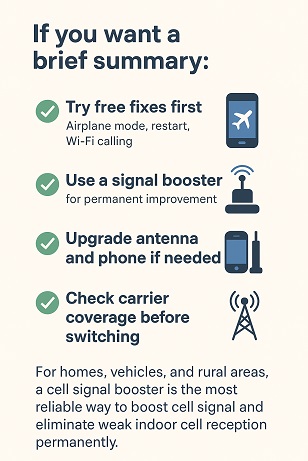
If you want a brief summary:
- Try free fixes first (Airplane mode, restart, Wi-Fi calling)
- Use a signal booster for permanent improvement
- Upgrade antenna and phone if needed
- Check carrier coverage before switching
For homes, vehicles, and rural areas, a cell signal booster is the most reliable way to boost cell signal and eliminate weak indoor cell reception permanently.
Conclusion
Learning how to improve mobile signal strength doesn’t require guesswork anymore. From quick free tweaks to powerful signal booster installations, there is a solution for every scenario, homes, apartments, offices, vehicles, and remote rural areas.
Weak signals are caused by obstructions, distance, outdated devices, and network congestion. But with the right approach, you can dramatically boost cell signal, enjoy faster internet, clear calls, and reliable connectivity everywhere you go.
If your problem is occasional, free fixes will work. If your problem is permanent, invest in a proper signal booster system, it pays for itself in productivity, stability, and peace of mind.
Frequently Asked Questions
1. How can I make my mobile signal stronger?
2. How do I boost my mobile signal at home?
- Enable Wi-Fi calling
- Keep your phone near windows
- Avoid metal obstacles
- Reset network settings
- Install a home cell signal booster
3. How do I fix a weak mobile signal?
- Restarting your phone
- Replacing a damaged SIM card
- Toggling airplane mode
- Switching between LTE and 5G
- Updating carrier settings
4. Can you boost mobile phone signal at home permanently?
5. What should I dial to boost signal on my phone?
6. How can I make a signal booster for mobile phones at home?
7. Is there a cell phone signal booster that actually works?
8. Do cellular signal boosters really work?
- Call quality
- Mobile data speed
- Indoor reception
- Battery life
9. What is the best booster for cell phone reception?
10. Is there a device that can boost my cell phone signal?
11. Does 3370 really work for boosting signal?
12. Are cell phone boosters worth buying?
- Dropped calls
- Slow mobile internet
- Weak indoor signal
13. What is the best mobile phone signal booster?
- Your location (urban or rural)
- Signal strength outside your building
- Coverage area needed
14. Who has the strongest cell phone signal?
- Local coverage maps
- Real-world user reports
- Signal strength inside buildings
15. How can I make my cell phone signal stronger without buying anything?
- Toggle airplane mode
- Restart your phone
- Switch from 5G to 4G
- Move near windows
- Enable Wi-Fi calling
16. Why is my mobile signal so weak indoors?
17. Will upgrading my phone improve mobile signal strength?
18. How do I check my mobile signal strength accurately?
- -50 to -70 dBm → Excellent
- -70 to -90 dBm → Good
- -90 to -100 dBm → Weak
- -100+ dBm → No signal